WordPress positioning
Want customers to find you, not your competitor? We build your website's technical visibility and authority in the eyes of Google – once you achieve a position, it works for you for months, with no per-click fees.
- Visibility built in Google and Gemini, ChatGPT, Claude
- 3-step process: audit and strategy, optimization, building authority
- We will adapt the structure, content, and linking to how WordPress builds the site.
- The links stay with you after the contract ends
- The startup audit checks 63 points of technique and potential







Fill form and receive a quote
The controller of your personal data is Verseo, a limited liability company with its registered office in Poznań, at ul. Węglowa 1/3.
About Verseo
The Company's registered office is located in Poznań. The Company is entered in the Register of Entrepreneurs maintained by the District Court for Poznań – Nowe Miasto and Wilda in Poznań, 8th Commercial Division of the National Court Register, under KRS number: 0000910174, Tax Identification Number (NIP): 7773257986. You can contact us by mail at the address provided above or by email at: ochronadanych@verseo.pl
You have the right to:
- access to your data,
- rectification of your data,
- request deletion of data,
- processing restrictions,
- object to the processing of personal data,
- transfer of personal data,
- withdrawal of consent.
If you believe that we are processing your data contrary to legal requirements, you have the right to lodge a complaint with the supervisory authority – the President of the Personal Data Protection Office.
We process your data for the purpose of:
- handling your inquiry, pursuant to Article 6(1)(b) of the General Data Protection Regulation (GDPR);
- marketing purposes consisting in the promotion of our goods and services and ourselves in connection with the consent you have granted, pursuant to Article 6(1)(a) of the GDPR;
- securing or pursuing possible claims in connection with our legitimate interest, pursuant to Article 6(1)(f) of the GDPR.
Providing your data is voluntary . However, without it, you will not be able to send us a message, and we will not be able to respond to you.
We may transfer your data to trusted recipients:
- providers of tools for: website traffic analysis, sending marketing information.
- entities responsible for hosting (storing) the website and personal data.
We will process your data for the period of:
- necessary to achieve the specific purpose for which they were collected, and after its expiry for the period necessary to secure or pursue any claims
- in the case of data processing based on consent until its withdrawal. Withdrawal of consent does not affect the lawfulness of processing prior to withdrawal.
We do not process personal data in a way that would involve making solely automated decisions about you. More information regarding the processing of personal data can be found in our Privacy Policy.
SEO + AI + GEO · new reality
Attract customers with a good search engine position
SEO for a WordPress store today means more than just ranking high on Google. Customers search for products in search engines and on maps, and increasingly often ask ChatGPT or Gemini where they can buy something. We'll make sure your store appears in each of these places—and gets there before your competitors.
General and local search
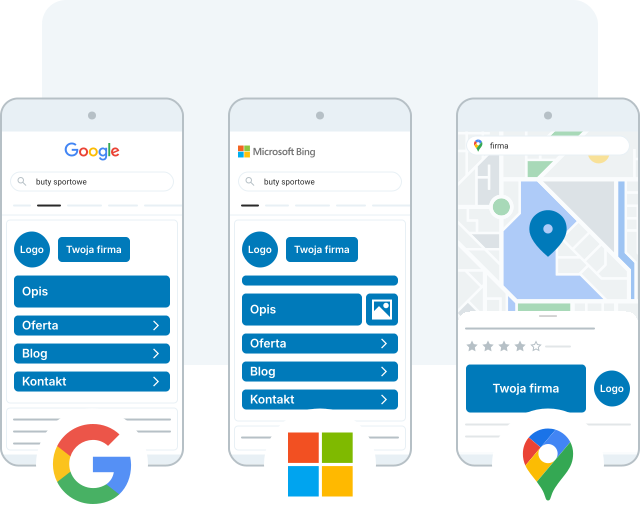
Google, Bing, Yahoo, Seznam, Baidu, Google Maps
the customer enters the name of the product, category or brand, and then your store should be in the first results - not on the second page of the search
Search Engine AI Summaries
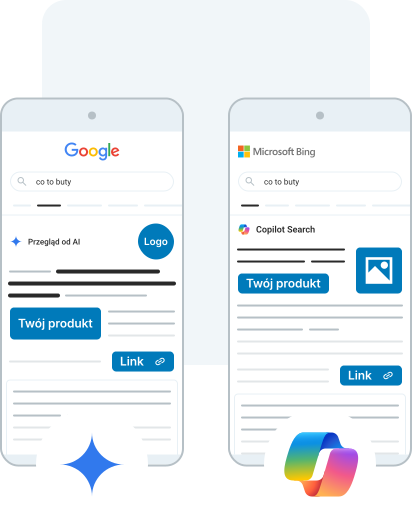
Google AI Overviews, Bing Copilot Search
the customer asks about a product and the search engine responds with a ready-made AI summary – you should strive to ensure that your store's offer is included there
Search in AI tools
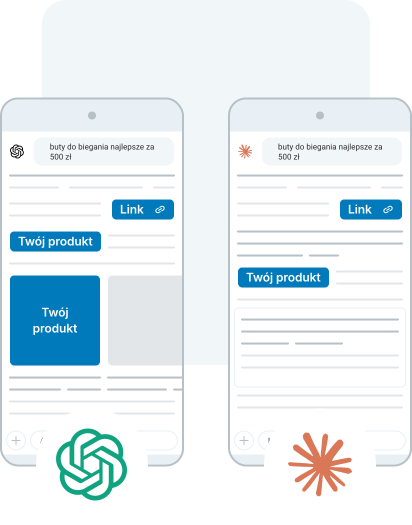
ChatGPT, Gemini, Claude, Grok – search/browse mode
the customer asks the AI model where to buy something, and in response, specific stores and products appear - we will make sure that yours is among them
Copywriting and link building
The basis for ranking and recommendations
good category and product descriptions and valuable links build the store's authority – one that both Google and AI tools can see
SEO agency
Replace a popular engine into a source of customers
You can build a website on WordPress in a day, but whether Google even shows it depends on something else entirely. WordPress SEO is groundwork: we organize the engine, its structure, and its content so that search engines have a reason to rank you high and customers actually find you.
Only well-executed SEO turns WordPress' potential into real visibility in search engines.
Each phrase you rank high on works for you in the long term – the position does not disappear when the budget runs out, as is the case with paid campaigns.
websites on the Internet run on WordPress
Chances are, at least some of your competition is also using this engine. Therefore, your Google ranking isn't determined by your choice of WordPress, but by how well you optimize it.

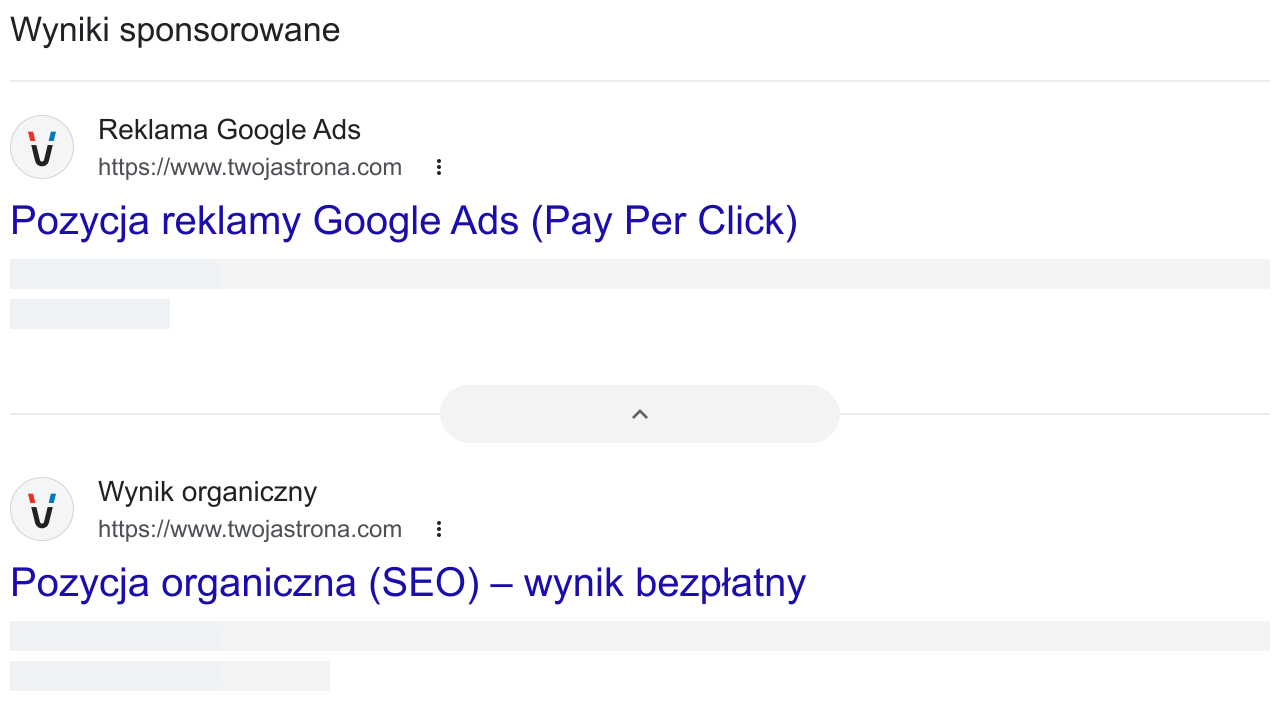
With search engine optimization (SEO), you gain visibility in organic search results – not by paying for advertising, but by proving that you are the most relevant and trustworthy option.
Website positioning
Build visibility, which will not disappear with the end of the budget
Search engine results include paid ads and unsponsored results. You pay for the ad with each click, which disappears when your budget runs out. You earn a position in the organic results by effectively positioning your WordPress site – and then attract customers without any further fees. At Verseo, we position your website high in these organic results through effective SEO activities. Furthermore, we also ensure your site is considered by artificial intelligence – these activities are known as GEO.
Every change implemented during SEO is a signal that your website deserves a high ranking over your competitors'. Over time, these signals accumulate, and once achieved, a position will continue to work for you for months.
Raise your hand if you have ever searched for something on the second page of Google…
How does WordPress website positioning work step by step?
A high search engine ranking doesn't come with a single tweak. We manage WordPress SEO in Google (and beyond!) using a proven process—from diagnosis to implementing changes and continuing visibility improvements. Below, we'll show you how we do it step by step.
Audit and strategy
We begin by analyzing your website, your competition, and the keywords you want to be visible for. We review WordPress's technical status, indexing, and current visibility in Google, and then create an action plan tailored to your business.
Page optimization
We connect what your customers are looking for with what your website offers.
We optimize every element.
This is where the most action happens. We address technical aspects (speed, Core Web Vitals, plugin configuration, URL structure), organize WordPress's architecture—categories, tags, and internal linking—and optimize and create content for specific keywords. Well-used WordPress tags support SEO, while poorly chosen ones create hundreds of unnecessary subpages, so we carefully monitor them.
Authority and development
Gain the trust of algorithms and users. Our linking strategies build your company's online reputation.
We acquire valuable links that build Google's trust in your domain, then monitor rankings, traffic, and conversions. We regularly report on results and develop our strategy, responding to changes in search engine performance and competitive moves.
Positioning effects
Outperform your competitors and rank higher
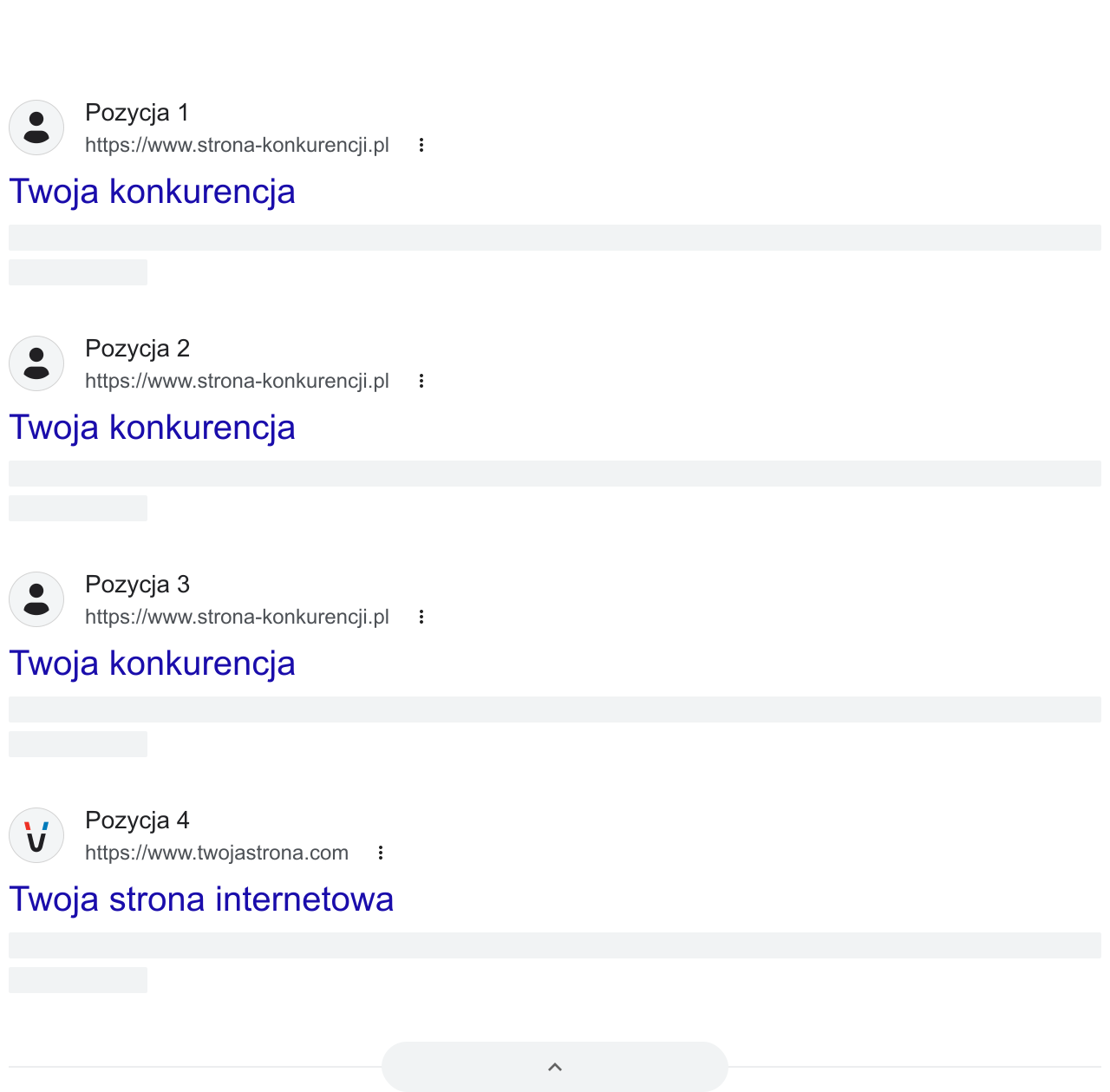
The top 4 organic results receive the most traffic. Our 3 SEO pillars work together to position your website there.
The EEAT acronym stands for four pillars of credibility, which Google uses to evaluate websites: experience – whether the author knows the topic from experience; expertise – whether the author is knowledgeable about the topic; authoritativeness – whether others cite you; and trustworthiness – whether the website can be trusted. On WordPress, we reinforce these pillars with author profiles, reliable content, linking, and a well-maintained, secure website, among other things.
What do you get with the subscription?
What is considered a "premium option" by others is standard with us.
Individual SEO strategy
Tailored to your business, industry, and goals. We don't sell templates.
SEO audit of your website
To start with, we analyze 63 points – from the technical condition of the site to the competition and the potential of phrases.
Constant contact with an expert caregiver
You talk directly to the creator of your strategy, not to an account manager.
Content and link development
Expert articles, sponsored posts, white-hat link building.
We do not remove links
After the cooperation expires, all acquired links remain – they are your property.
Transparency
No more question: “What am I actually paying for?”
Our SEO activities are fully measurable and reportable – you can be 100% sure that your investment is contributing to your success.
- Transparency of activities
You can see every modification on your website. - We monitor movement and positions
Position and traffic statistics are available in the Customer Panel 24/7. - Monthly summaries
Monthly report on work performed and website condition. - White Hat SEO Only
Techniques compliant with Google guidelines. Risk-free and spam-free.
What does cooperation look like?
We focus on priorities,
not on checklists
We prioritize tasks that deliver the fastest results possible. Increased visibility means more qualified people will find your offer at the right time.
Month 1
Audit and strategy
A 63-point audit, competitive analysis, and keyword research. We set goals and KPIs – we know exactly where you are and where we're going.
- Technical audit
- Phrase Research
- Competition analysis
- 12-month strategy
Month 2–3
Technical and on-site foundations
We implement technical fixes, optimize existing pages, and build information architecture and thematic clusters.
- Core Web Vitals
- Meta optimization
- Internal linking
- Structured data
Month 3–6
Content, authority, first growth
Producing expert content, sponsored posts, and building a link profile. Visibility increases – you start appearing on valuable keywords.
- Expert articles
- Sponsored posts
- Link building
- First positions in the TOP 10
Month 6+
Scaling and Domination
The results demonstrate economies of scale. We're expanding our strategy, optimizing for AI Overviews, measuring SEO revenue, and scaling what works.
- Top 3 positions
- AI Visibility Overview
- Increased SEO revenue
- Quarterly review
Long-term investment
Positioning is long-term investment
Once achieved, results last for years – but results don't happen overnight. Here's what you can expect.
- Technical audit of the website
- Technical optimization of the website
- Linking strategy
- Content Schedule
- Building a link profile
- Delivery of 70% of the content specified in the contract
- Further work related to the technical optimization of the website
- Phrase caloric content assessment
- Evaluation of conversion rate from the SEO channel and participation in the customer journey
- Further enrichment of the website with content, links and support (according to the package)
What you get in every package
Everything included
Team of experts
People are working on your growth
SEO is about decisions, not just data. That's why each project is handled by a dedicated team—a strategist, a technical specialist, a copywriter, and a link builder—in one office, under one phone number.

Strategic call with the client
Monthly visibility and KPI review

Strategic workshop
Intent and keyword mapping

Technical SEO audit
Core Web Vitals and Indexation Analysis

Technical SEO Team
Daily work on implementations
Our customers
The digital marketing agency behind rapidly growing companies in Poland











Our reputation
Hundreds of companies trust us – and they keep coming back for more
Don't just take our word for it. Check out what our customers are saying on Google and Clutch.
Customer reviews
Customer opinions about working with Verseo

Because what counts for us is the real effect, not just slogans.

We feel safe with Verseo

Giacomo Conti's tailor-made offer

We combine empathy with hard data
We generate profits for our customers!
Challenges? No problem!

Case Study: Rugito & Verseo

We like to scale businesses!
Two years of cooperation with INGLOT
Most SEO agencies sell activity. We deliver real results.

We base our increased visibility at inglot.pl on the synergy of three pillars: technical optimization, substantive content, and proprietary link building. Close collaboration with the client is key – thanks to regular consultations, we quickly adapt our strategy to new offerings and current sales priorities.

SEO working non-stop for Kompresyjni.pl
23% of the company's revenue comes from organic traffic – all channels work together.

23% of the company's total revenue comes from organic traffic – the SEO machine is working non-stop. Integrating SEO with Google Ads and Shopping campaigns was key: each channel supports the others, and GA4 provides a complete picture of the customer journey.
Appetite for more in e-okularnicy.pl
Increased revenue, transactions and visibility – the results are more than satisfactory.

The results are beyond satisfying. We're hungry for more! Verseo understands the specifics of e-commerce and combines SEO with paid campaigns so that one channel doesn't cannibalize the other.
All channels integrated in Fotoforma
Ready-made solutions, implementation and monitoring – one partner for many fronts.

We were looking for a partner who could propose, implement, and monitor turnkey solutions. Verseo delivered. Instead of juggling multiple agencies, we have a single team that keeps everything running smoothly.
Stable premium growth with James Conti
Higher sales are the result of a partnership approach and ethics – not aggressive practices.

I appreciate Verseo's partnership approach and ethics – higher sales are the result. Premium fashion isn't about maximizing clicks, but building a brand long-term, and Verseo understands this.
We begin with an audit and keyword selection. Next, we focus on technical optimization (speed, structure, plugins), organize content and site architecture, and finally, build links and monitor results. This is a long-term process – each stage builds on the previous one, so SEO is conducted month by month.
You'll learn the basics yourself: install an SEO plugin, set friendly URLs, and take care of titles and descriptions. The real challenge begins with the technical aspects (Core Web Vitals, indexing), content strategy, and linking—all of which require time, tools, and experience. If you're looking for lasting rankings, not cosmetics, working with Verseo is definitely worthwhile.
WordPress has its own unique characteristics: it relies on plugins, themes, and a database, which all impact speed and indexing. This offers enormous flexibility, but poorly configured settings can be detrimental rather than helpful. WordPress SEO largely involves leveraging its strengths and harnessing its weaknesses.
A blog is one of the most powerful SEO tools available in WordPress. The key is writing for real questions from readers, properly structuring your posts (headings, internal linking), judicious use of categories and tags, and consistency. Over time, a well-managed blog attracts traffic for dozens of keywords at once.
The first moves are usually visible after a few weeks, but a significant increase in visibility takes several months. The pace depends on the initial state of the website, the competition in the industry, and the scope of activities. SEO is a long-term investment – patiently developed positions will continue to thrive.
An SEO plugin is a helpful tool, but it alone won't position your website – it provides a framework, not results. What matters is what you put into that framework: quality content, technique, structure, and links. A plugin merely facilitates your work on visibility.
Usually not. In most cases, we work with what you already have—optimizing the existing theme, organizing plugins, and improving structure and content. We only suggest a rebuild if your current solutions are blocking growth, for example, with a very slow or outdated theme.
Yes, but only if you use them wisely. Well-organized tags organize content and facilitate navigation, which benefits SEO. The problem arises when there are too many tags – each tag creates a separate subpage, and dozens of empty tag pages can harm visibility. For this reason, moderation and a well-thought-out structure are crucial.
WordPress stores have slightly different rules, with product pages, categories, and filters. Some of the rules are common, but store SEO is a separate, broader topic, which we address as part of a dedicated service.
We provide you with a dedicated specialist to manage your project, a specific post-audit action plan, and regular reports on position, traffic, and results. You know what we're doing, when we're doing it, and how it's impacting your website's visibility on Google.
WordPress SEO – Where to start? How to optimize your WordPress website and SEO plugins?
Are you ready to conquer the virtual world? Great! If you already successfully run a website based on the WordPress content management system, you'll learn how to optimize it to be SEO-friendly. Are you just starting out with e-commerce? Check out what to pay special attention to. This article will discuss how SEO should be done to ensure WordPress SEO delivers the desired results and your website soars to the top of Google search results.
WordPress website positioning follows general SEO guidelines. However, it's important to note that this system is SEO-friendly , so achieving high Google rankings for your WordPress site will be relatively straightforward. Before we dive into the details, let's start with the basics.
WordPress - what is this CMS?
WordPress is the most popular and free content management system (CMS). It allows us to not only create SEO-friendly websites but also manage them. Its major advantages include ease of installation on a hosting server and intuitive use. WordPress sites can be managed even by people with no previous programming experience. The system allows them to quickly and easily create and publish content (on a blog or WordPress website), enriching it with images and videos.
Thanks to various plugins, a WordPress website can be customized to suit the look of a specific website and facilitate SEO. Using it, you can create everything from a simple blog to a complex corporate website promoting and selling products and services.
>> Shop positioning: SEO case study from the optical industry <
WordPress website positioning – SEO plugins
WordPress plugins are small programs that can be downloaded from a virtual store . They allow you to extend the system's functionality and customize it to your needs. Plugins can, for example, support website positioning (WordPress SEO plugins) , help with website optimization , or add contact forms or image galleries.
The most popular WordPress SEO plugins
Among the many features that make WordPress such a convenient and versatile CMS platform, the following are certainly worth mentioning:
Yoast SEO WordPress — Helps you optimize your website for SEO. It lets you analyze your page description, search for keywords, and optimize meta tags.
Contact Form 7 — a plugin that lets you add a contact form. Its biggest advantage is its ease of configuration and subsequent management.
WPForms - it allows you to easily create contact and order forms, as well as surveys.
Jetpack - by enriching your WordPress website, you will be able to thoroughly analyze your website, protect yourself from spam, and create backups.
Smush – Installing it on WordPress will allow you to optimize images, which will positively impact page load speed. This is one of the key elements influencing the SEO of a WordPress website.
WP Super Cache - another plugin that will allow you to speed up your website loading by generating static HTML files from dynamic WordPress pages, which is important for SEO and positioning on your website.
WooCommerce is one of the most widely used plugins for creating online stores in WordPress. It allows you to easily add products, manage orders and payments, and integrate with carriers.
>> Positioning of Magento online stores <
CMS WordPress with WooCommerce plugin
WooCommerce is one of the most widely used e-commerce solutions in the WordPress world. Its main advantages include intuitive operation, flexibility, and the ability to customize it to the individual needs and preferences of a specific store.
Importantly, the WooCommerce plugin installed on WordPress can be successfully used by both typical e-commerce businesses offering products and businesses promoting their services online. Selling tickets online? Providing virtual consultations? WordPress and WooCommerce volunteer to help users achieve this on your website.
Selecting a service date, time, or even a specific employee won't be a problem. You can easily customize the system to suit your vision and customer expectations.
We wrote more about how to position a WordPress Woocommerce website here.
Is WordPress SEO friendly?
If you're looking for an SEO-friendly platform to build your online store on, you've just found it. Because this CMS can be enhanced with numerous SEO plugins, WordPress will help your website rank higher in Google searches.
WordPress website positioning – is it that simple?
Although WordPress is SEO-friendly, effective SEO for a website based on it requires basic knowledge, skills, time, and… patience. Before you begin SEO activities, you should know that the first results will take significantly longer than with paid activities.
However, positioning a WordPress-based website will bring significant benefits, and the positions achieved in search results will be more stable and lasting than in the case of a campaign.
What should you remember when starting your adventure with WordPress?
Below we present some brief tips on WordPress positioning, which we will expand on later in this material.
WordPress website positioning step by step:
- Keyword analysis and their proper selection — From an SEO perspective, it's one of the key elements responsible for a website's visibility in Google search results. Choosing the right keywords is key to getting found in the sea of the internet. If you want to practice properly, website positioning, use keywords in the most important places. This is the page title, meta description, and other page content. Select key phrases that match the characteristics of your business. Let your keywords answer the queries your potential customers enter.
- Valuable content marketing we mean here a good description of the WordPress website, including relevant keywords for SEOAnd although website positioning is important, life is not about SEO alone. So, write with your audience in mind and to meet their expectations. Remember that Google promotes texts that align with the intentions of those searching for information on your website. Keywords are there to help them achieve this. They're used to create page descriptions, product descriptions, and video titles. WordPress allows you to enrich your website with various forms of content—make sure to include engaging graphics (that won't overload the page) and video content.
- SEO plugins WordPress offers many of them. Thanks to this, you will be able to analyze keywords, make redirects and optimize the website for example loading speed.
- Page structure important from the perspective of users and Google robots themselves. Make it as clear and easy to navigate as possible. This can not only impact your WordPress site's search engine ranking, but also positively impact conversions. Also, make sure to: appropriate entry of Schema.org structured dataThis makes it easier for search engines to index your website, improving your domain's visibility and positively impacting the user experience when exploring your company's virtual offerings.
- links another important element that helps in positioning your WordPress website. Use internal linking when positioning your WordPress website (extending the time users spend on the site) and external linking (directing users to external sites). However, when using the latter, be careful. Choose strong domains that linking will help your website improve its position in Google search results. You can choose free link acquisition methods or use paid link targeting for your domain, for example, sponsored posts on popular industry portals.
- URLs - optimize them to be friendly. Short, easy to remember and manually entered. Let it be clearly refer to the content of the WordPress website, to which you invite the recipient and additionally use a keyword tailored to the nature of the business.
- WordPress Site Speed - Nowadays, users are impatient. If they have to wait too long for individual elements of a page to load, they will most likely leave. You lose twice. not only the customer, but also good positions in search results. If this is one of the main problems known to your website, image optimization, js, css, cache will be useful.
The structure and quality of content posted on a WordPress website
Positioning a WordPress website requires respect for proper structure and high-quality content. When creating category and product descriptions, or posting on a blog, it's important to pay attention not only to well-chosen keywords — phrases aren't everything.
Content optimization for SEO
Also, remember headings (H1 – used only once per page, H2, H3, H4, H5, H6), table of contents, and paragraphs. Why is this so important for SEO ? Google rewards user-friendly websites – the content is valuable, unique, and useful. The way it's presented is also important – it should be legible and clear. This will make the text easier and more pleasant to scan – for both potential customers and Google robots.
To truly optimize your WordPress website, consider graphic elements. They enhance the content and provide a welcome respite for tired eyes that have been swept by a sea of text. However, make sure the graphics aren't too heavy — they could negatively impact the speed of the page or a specific subpage.
What to avoid when choosing keywords for WordPress website positioning?
The same rules should be followed as when positioning a website based on another system. Above all, avoid:
Overly general keywords – keywords that are highly general can be equally competitive. The result? You'll struggle to break through the ranks of competitors who are positioning for the exact same keywords. The solution is to choose long-tail keywords or focus on more specific keywords that match the theme of your WordPress site and the characteristics of your business.
Use more than one keyword throughout your page. This significantly narrows your chances of attracting users who are looking for something similar to yours but are entering a different query into Google. Address the needs and questions your potential customers ask when searching for a company that will help them achieve their goals.
Don't allow yourself to become artificial . Texts should capture the most important keywords, but their substantive value and ease of user comprehension are equally important. Write in simple, understandable, yet polished and engaging language. Remember that there's a human being on the other side of the screen. And WordPress SEO is about much more than just satisfying the crawlers analyzing your website's content.
Google Ads Keyword Planner – How Does It Help You Position Your WordPress Site?
To properly select keywords, you can use numerous programs (paid and free). The Google Ads Keyword Planner can also help you with this. The Google advertising system allows you to create campaigns based on keywords. In a dedicated planner, you can analyze the keywords you choose for both your advertising activities and your WordPress website.
Additionally, the website positioning tool displays keyword statistics such as average monthly traffic, competitiveness, and suggested click rates, depending on the region.
WordPress Plugins – All in One SEO
Among the many popular SEO plugins, WordPress offers All In One SEO. This plugin allows you to optimize your WordPress website for search engines. Even someone without advanced technical knowledge or SEO content marketing skills can do it.
With this tool you will optimize:
- page title (title),
- Page description (description),
- Keywords,
- Generating a sitemap,
- Internal linking,
- Integration with Google Analytics,
- and many others.
Yoast SEO – website positioning
This is the second most popular WordPress SEO plugin. Like All in One SEO, Yoast SEO allows you to optimize your website for SEO, which positively impacts its ranking in search results . Simply install the plugin, which simplifies the SEO process, and get started. It allows you to optimize your content and improve the quality of links, meta tags, and other SEO factors.
The Yoast SEO WordPress plugin also allows you to set canonical links, among other things, to prevent duplication. Remember to use this method to ensure that the canonical link directs users and search engine crawlers to the preferred version of your page.
If you want to improve your website's visibility, a sitemap is also important. Yoast SEO generates an XML sitemap for your website. This file contains information about all the pages and posts within your domain that you want search engines to index easily and quickly. With an XML sitemap, you can also provide search engines with additional information, such as update frequency, priority of individual pages, and last modified date.
Submit your sitemap to Google Search Console, which allows you to monitor your WordPress SEO and positioning efforts.
Set up Google Search Console for WordPress
Here are the steps to set up Google Search Console for WordPress:
STEP 1. Create a Google Search Console account and log in.
STEP 2. Click the "Add Website" button and enter your website URL.
STEP 3. Google Search Console will ask you to verify that you own the site. To do this, you can choose one of the available verification methods, such as adding tracking code to your site or uploading an HTML file to your root directory.
STEP 4. Once your website is verified, go to the "Sitemaps" tab and enter the URL of your XML sitemap file. If you don't already have a sitemap file, you can generate one using an SEO plugin like Yoast SEO or All in One SEO Pack.
STEP 5. Click the "Submit" button and wait for Google to index your website.
STEP 6. Once your page is indexed, go to the "Coverage" tab and check for any crawl errors such as missing pages, 404 errors, etc.
STEP 7. You can also use tools available in Google Search Console, such as "Image Analysis," to track the number of views your website receives and the search queries that lead to your website.
How to position a WordPress website in other search engines?
The answer is quite short, but substantively valuable. Positioning WordPress sites in other search engines is the same as with Google. You also need to ensure the right keywords, a user-friendly URL, fast page loading, good content , and internal and external linking.
WordPress SEO plugins (like All in One SEO or Yoast SEO WordPress) can help you fight for high search engine rankings. You can analyze the results of your actions using tools like Google Search Console (GSC).
The biggest benefits of positioning your WordPress website
The effect of the actions described above is to increase the visibility of the WordPress website in Google search results and other popular search engines.
Why is it worth starting SEO with a WordPress website?
This can translate into increased website traffic and improved financial results for the organization. The benefits of good WordPress SEO are mutual—satisfied users mean returning users, leaving positive reviews, and recommending your company to friends. That's how business thrives, right?
You are now reading:
WordPress positioning
- WordPress SEO – Where to start? How to optimize your WordPress website and SEO plugins?
- WordPress - what is this CMS?
- WordPress website positioning – SEO plugins
- Is WordPress SEO friendly?
- The structure and quality of content posted on a WordPress website
- Google Ads Keyword Planner – How Does It Help You Position Your WordPress Site?
- Yoast SEO – website positioning
- Set up Google Search Console for WordPress
- How to position a WordPress website in other search engines?
- The biggest benefits of positioning your WordPress website